Workflow and Task Management
3 min
Heads up! Keeper Docs is now deprecated, and this page is not maintained. Please visit Keeper's Help Center at help.keeper.app for the latest docs and guides.
How do I set up a task to repeat weekly?
To set up a task to repat weekly,
- Click Add New under your Non-Closing Tasks
- Click the Repeat button to set a repeat frequency
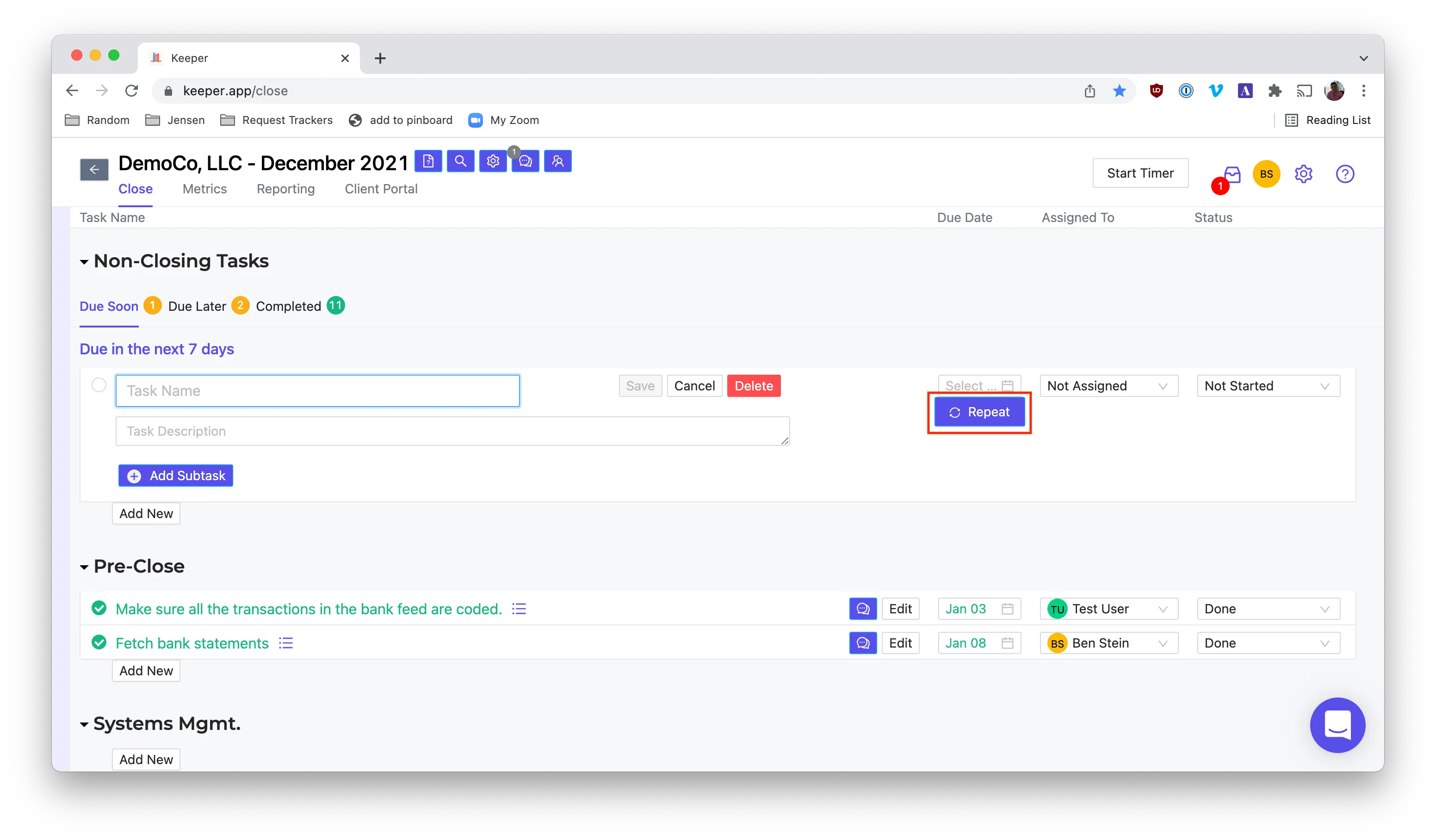
Note: All Closing Tasks (i.e., anything that's not in Non-Closing Tasks) automatically repeat monthly when you start a new close.
Is there a way to bulk add tasks to multiple clients?
Yes! You can create Close templates and bulk apply them to all clients.